
We’re excited to introduce a significant update to your browser based Gensolve Practice Manager, bringing a more complete, connected, and capable experience to your day-to-day workflows.
This update builds on the foundation of Web and moves it further into a space where clinicians can confidently manage their daily work in the browser, from appointments and client management through to clinical documentation and contracts.
With a redesigned appointment book, streamlined client views, and integrated medical notes with AI support, Gensolve Web continues to evolve into a faster, more intuitive way to run your practice.
As always, this is being shaped by real user feedback, with rapid improvements and new features already underway and plenty more to come. You can use your known and loved Gensolve on Windows (now Gensolve Enterprise Manager) and your Gensolve on the browser (Gensolve Practice Manager) simultaneously. They use the same data in real time, work alongside your Booking Portal (if you aren’t using the New Booking Portal, please talk to us!) and work hand in hand based on your tasks for the day.
As with any major release, there is always the possibility of isolated issues arising. Our team will be actively monitoring the platform and is fully prepared to respond swiftly to anything that needs attention. We appreciate your patience and remain committed to delivering a stable, reliable experience.
Please contact support if you notice any bugs or have suggestions for improvements.
The release will occur for Australia on the evening of Friday, the 17th of April 2026. Please note your Gensolve may have disruptions from 9:30pm while we apply necessary updates.
Login to your browser tool here.
A Smarter Client Header
Quick access to everything you need, right where you need it.
The new Client Header gives you instant visibility and control, from searching and creating clients, to viewing recent activity, contact details, and financial summaries. You can send emails, check balances, review appointment history, and create new events without leaving your workflow.
It’s designed to reduce clicks and keep key actions within reach at all times.

A More Flexible Appointment Book
Scheduling has been reimagined for clarity and control.
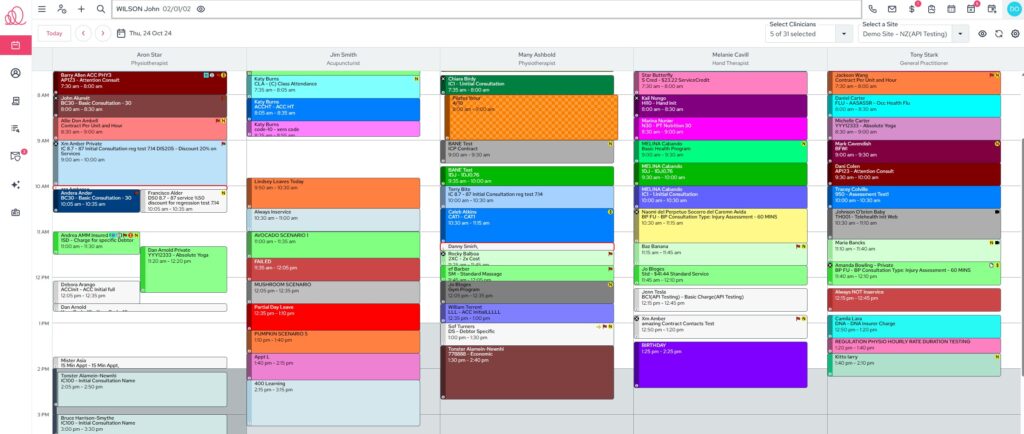
Switch between day and week views, apply filters, and customise what you see to match your workflow. Create and manage your appointment, including clinician, PT, contract, and class bookings with clear status indicators, colour coding, and quick navigation.
Streamlined Client Details
Everything about your client, organised and easy to navigate.
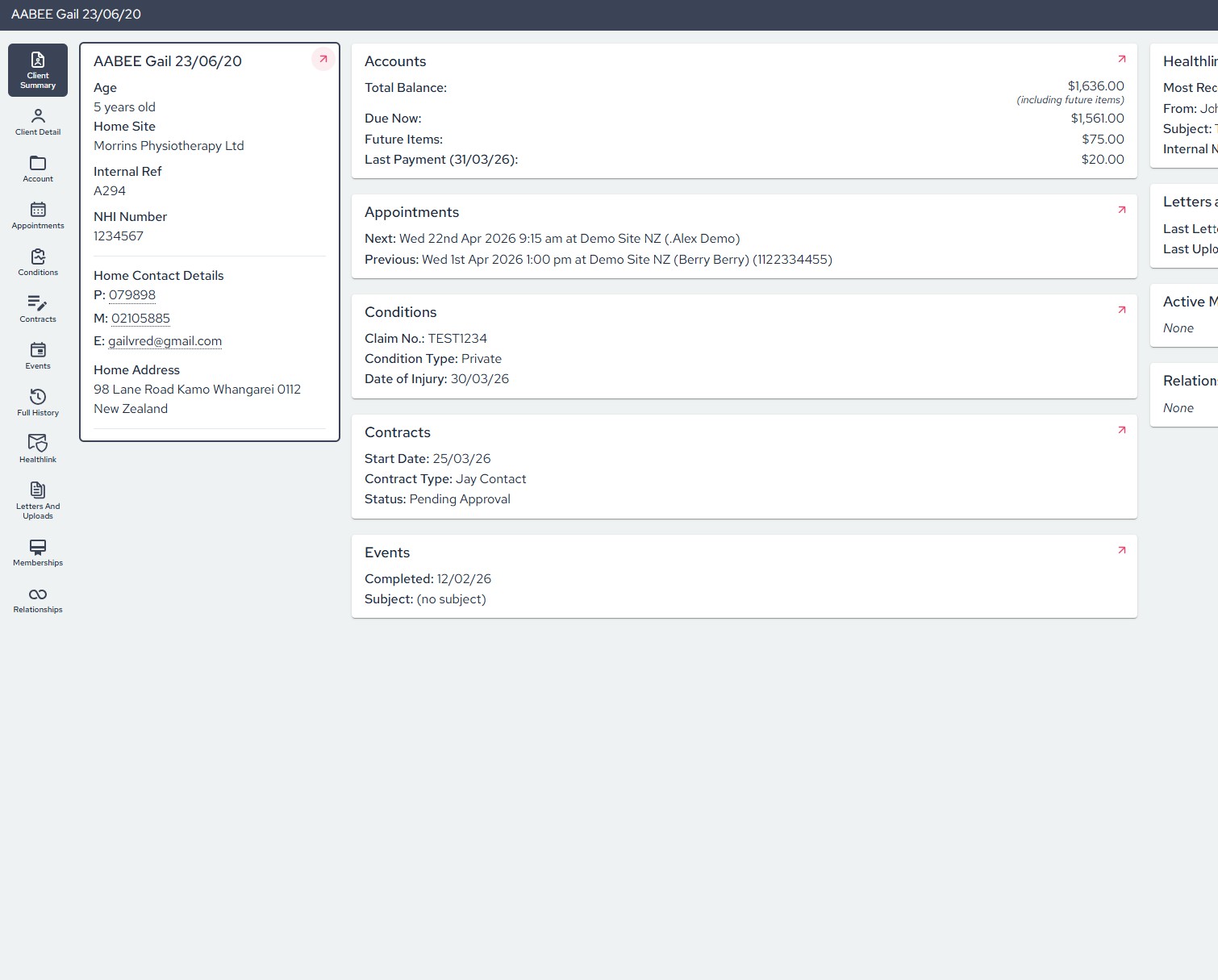
Client Details now bring together accounts, payments, appointments, conditions, contracts, and communications into clear, structured views. Access memberships, relationships, letters, uploads, prescriptions, and full history, all from one central location.
It’s a cleaner, more intuitive way to manage complex client information.
Medical Notes with AI Support
Clinical documentation, reimagined.
The Medical Notes module supports a range of assessment types and injury exams, alongside access to medical history, prescriptions, referrals, investigations, and discharge workflows.
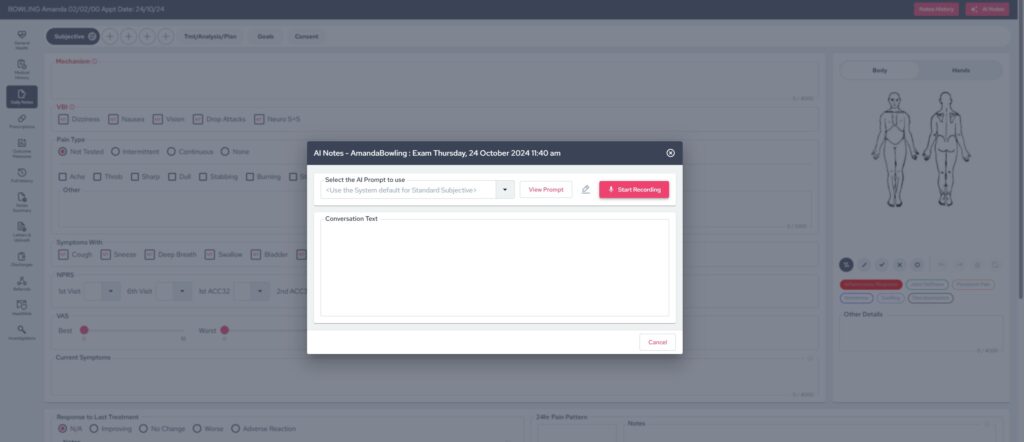
AI is now integrated directly into the experience, allowing you to record assessments and automatically populate note fields. Combined with autosave, history tracking, and summaries, this significantly reduces admin time while improving consistency.
You can start using our AI today at no cost, with our future pricing model to include AI as a simple add-on within Gensolve. This keeps everything in one place, without extra systems to manage and additional costs for stand alone products.
Better Condition Management
Stay on top of every condition with greater visibility.
The Conditions section allows you to manage condition details, track usage and appointments, and access referrals, investigations, and discharge information. Outcome measures and clinical tools are built in, giving you full oversight across the treatment lifecycle.
Contracts, Now Fully Integrated
Contract management is now part of your everyday workflow.
Access contract details, charges, invoices, providers, and referral information directly within Client Details. With clear summary and detail views, you can manage contracts alongside the rest of your client data without switching between modules.
Smart Forms, Built Into the Workflow
Forms, exactly where you need them.
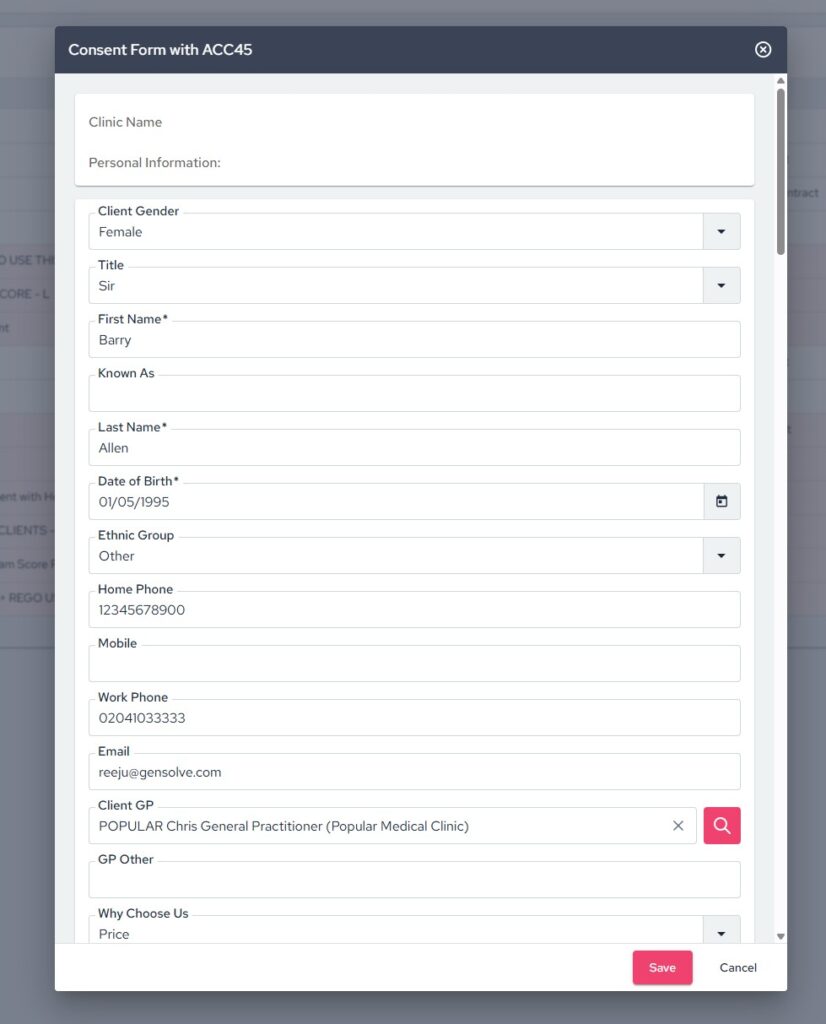
Smart Forms are now accessible directly within the client’s history, allowing you to view entries and requests in context. This keeps all client interactions and documentation connected in one place.
Expanding Integrations Across Your Workflow
We continue to expand our integration ecosystem, with connections across platforms such as VALD, Physitrack, Healthlink, and Wibbi. These integrations help streamline clinical workflows, reduce double handling, and ensure data flows more seamlessly between the tools you already use, keeping everything connected within Gensolve.
Office and Document Management
Office Online Integration
You can work from your Microsoft Office 365 license in Gensolve to create, edit, and collaborate on letters and uploads directly within Office Online, with real-time saving and multi-user editing supported.
LibreOffice Compatibility
Microsoft Office is no longer required for template merging, with support for alternative applications such as LibreOffice.
More to come, tell us what you think!
This is just the beginning of our browser-based Gensolve Practice Manager.
We’re actively building and releasing new features based on your feedback, with rapid improvements already underway. Our focus is simple; to create a platform that supports your full workflow, wherever you are.
Please login to your new Practice Manager, and let us know how it’s working for you.
If you have any questions please don’t hesitate to contact us at support@gensolve.com, or submit a ticket.