New to Gensolve for Australia in April 2026: Enhanced security controls including configurable password policies, MFA improvements and device trust, expanded AI and document workflows, Office Online integration, improved contract and reporting tools, new API enhancements, and booking portal scheduling updates.
You can check out the full release notes here.
The release will occur for Australia on the evening of Friday, the 17th of April 2026. Please note your Gensolve may have disruptions from 9:30pmAEST while we apply necessary updates.
Also, don’t forget to check out the latest updates and improvements to the Gensolve Web Practice Manager, including Medical Notes, AI and Transcription from the browser and more.
Login to your browser tool here.
Enhanced Security Controls
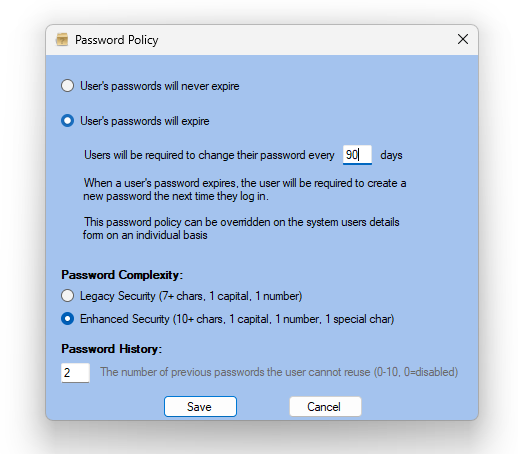
Configurable Password Policies
Administrators can now choose between Legacy and Enhanced password requirements:
- Legacy (default): Minimum 7 characters, 1 capital, 1 number
- Enhanced: Minimum 10 characters, includes special character requirement
Password History Tracking
Prevent password reuse by enabling password history tracking, improving overall account security.
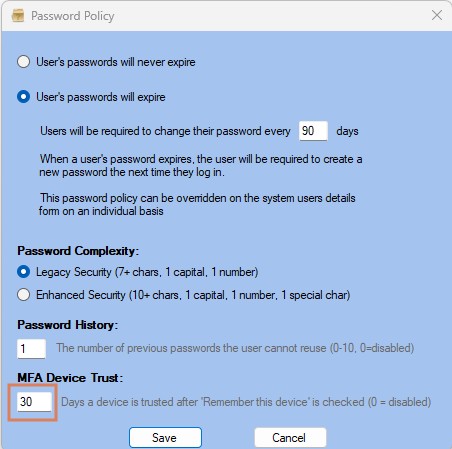
MFA Device Trust
With MFA enabled, users can select “Remember this device”, allowing trusted logins for a configurable period (default 30 days), reducing friction while maintaining security.
Improved Login and MFA Experience
The login process has been streamlined, with the MFA token field now always visible (unless the device is remembered), and session timeouts respecting trusted devices for faster re-entry.
Enhanced Control Over System User Access
A new “Allow System User Legacy Access” setting gives administrators greater control over assigning built-in access privileges to system users.
AI and Document Workflow Enhancements
AI Prompt Editing Improvements
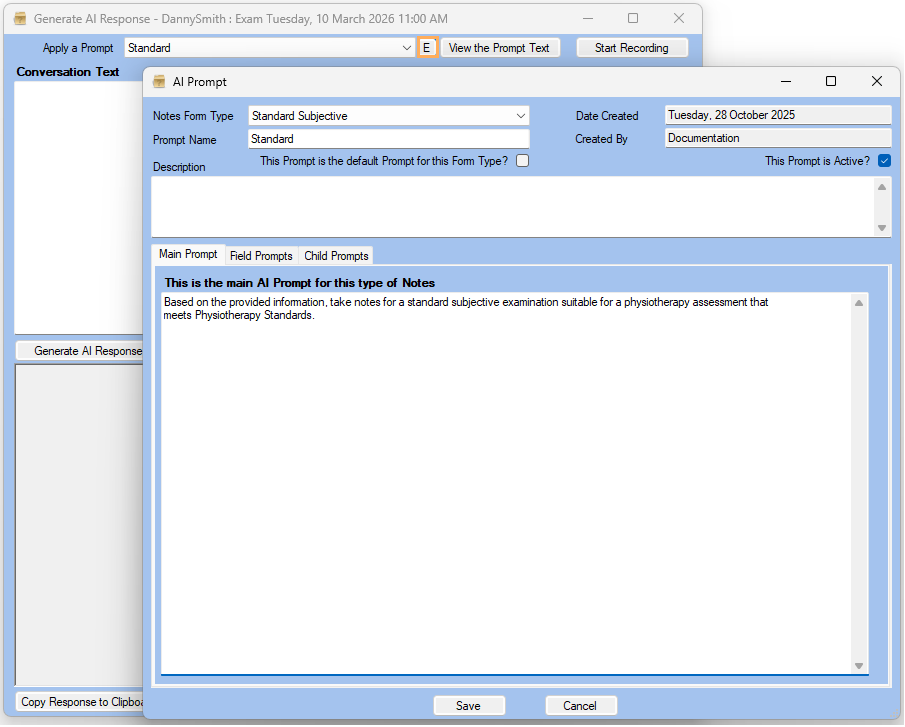
Users with the appropriate permissions can now edit AI prompts directly from the AI generation screen, making it faster to refine outputs on the fly.
AI Letter Templates for Word
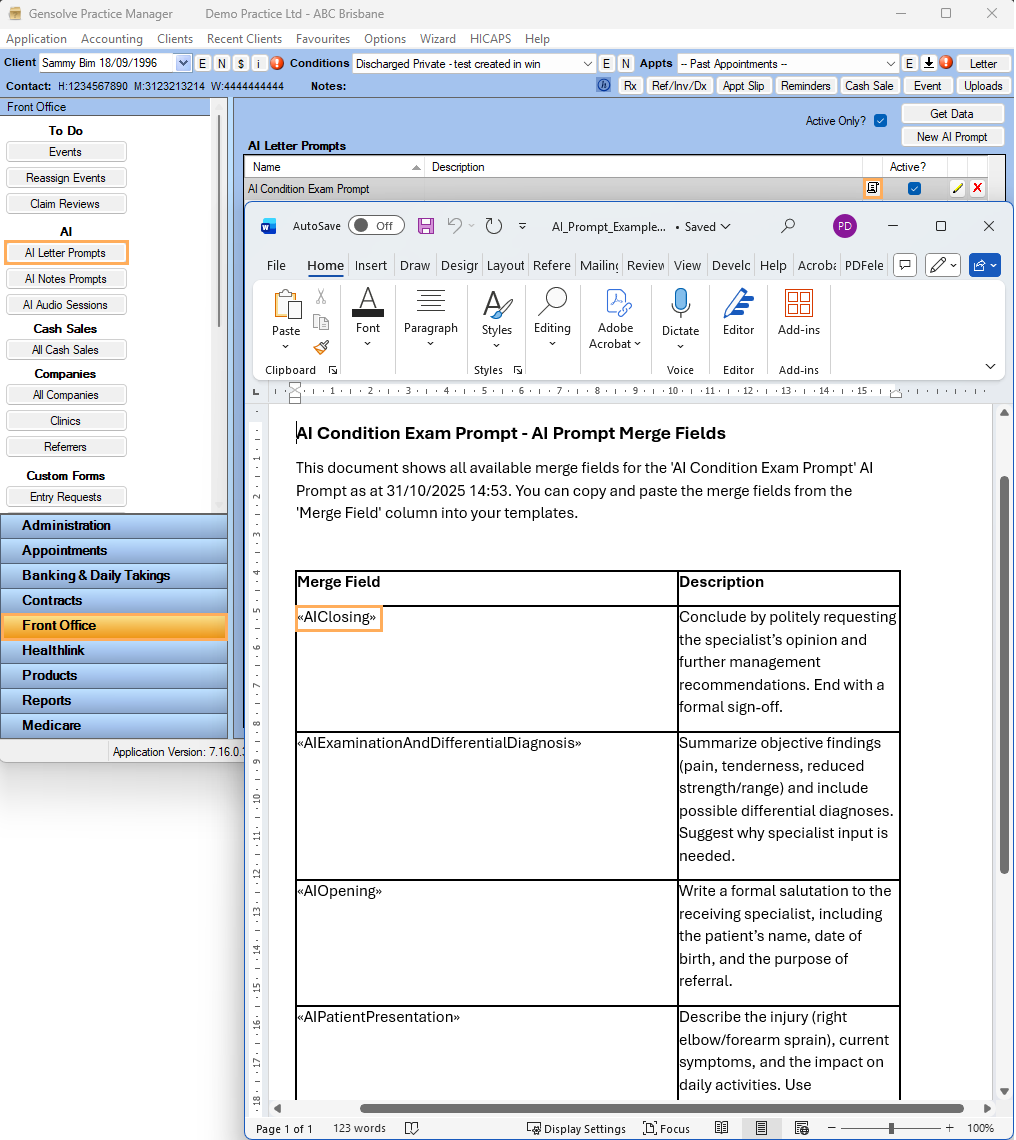
AI merge fields can now be downloaded in Word and easily inserted into letter templates, simplifying setup and improving consistency.
AI Letter Template Support
AI merge fields can now be downloaded and easily inserted into letter templates, simplifying setup and improving consistency.
Improved Prompt Permissions
Access roles have been updated to better control AI prompt management including the ability to remove access to deleting Prompts, ensuring stronger governance over AI usage.
Office and Document Management
Office Online Integration
You can now work from your Microsoft license in Gensolve to create, edit, and collaborate on letters and uploads directly within Office Online, with real-time saving and multi-user editing supported.
LibreOffice Compatibility
Microsoft Office is no longer required for template merging, with support for alternative applications such as LibreOffice.
Contracts and Reporting Improvements
Contract Type Controls
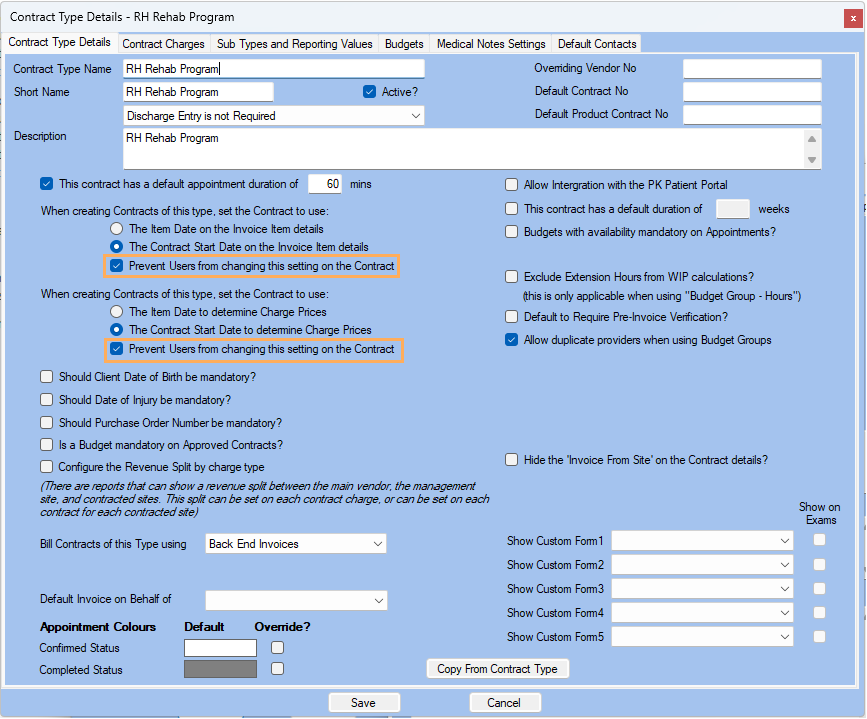
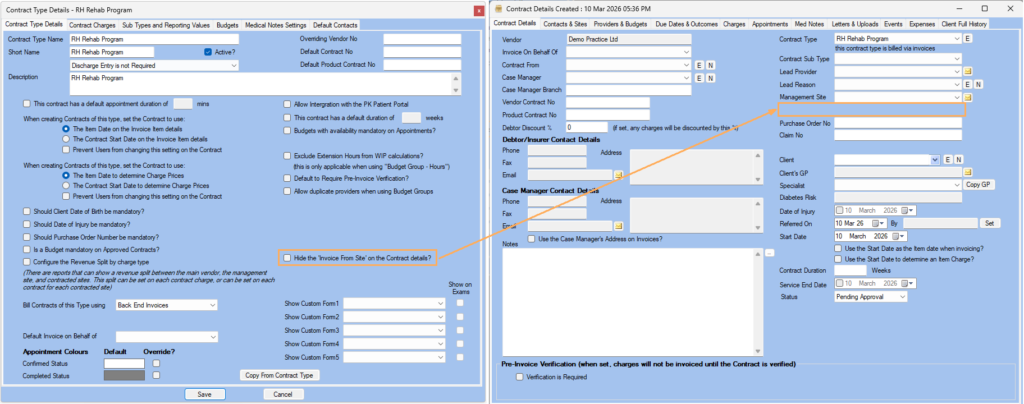
New Contract Type settings provide greater control over:
- User ability to choose Contract Start Dates are applied to invoice charges
- Visibility of the “Invoice from Site” field
Smarter Client Highlighting in Letter Templates
Letter Templates now support new merge fields including <<HighlightClient>>, <<HighlightName>>, and <<HighlightColour>>, allowing you to incorporate client highlight information directly into your communications.
You can also now filter Template Merge recipients using new restrictions such as “Has a Highlight” and “Highlight Type”, making it easier to target specific client groups and personalise bulk communications.
Expanded Debtor Contact Email Support
A new merge tag «AllContactsEmails» has been added for Debtor templates, outputting a comma-separated list of all email addresses linked to a debtor.
This allows you to include multiple contacts in communications more easily, improving flexibility when sending invoices, statements, and other debtor-related correspondence.
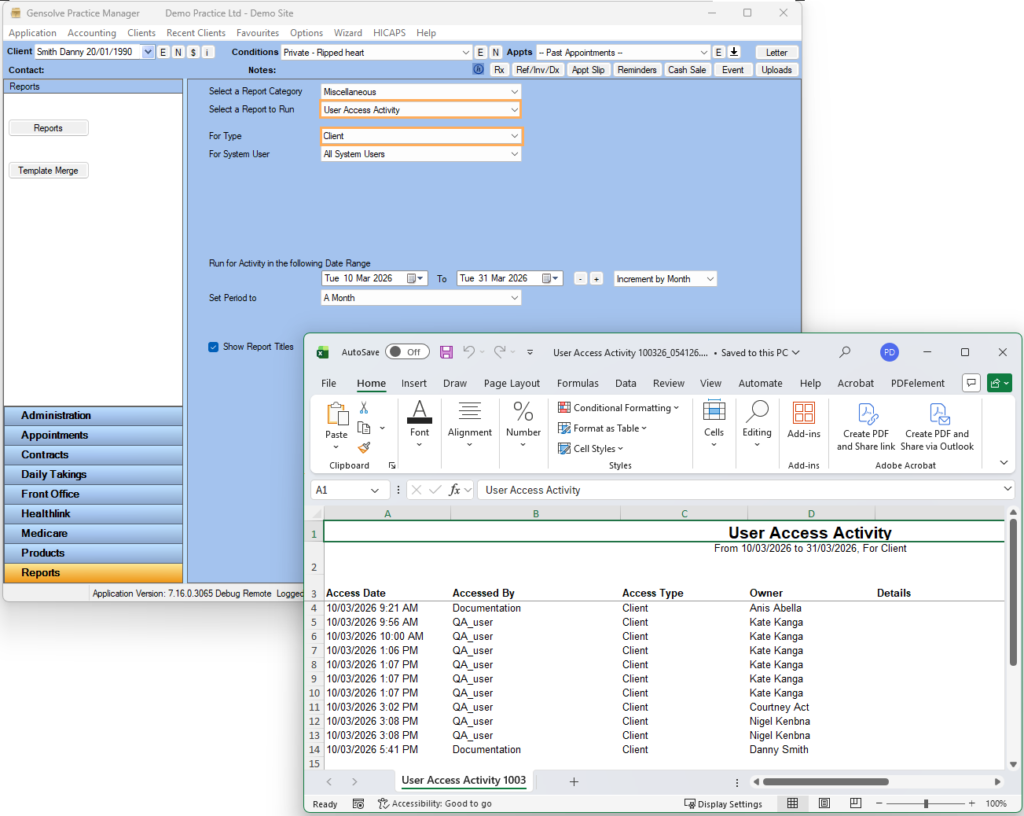
Client Access Tracking
User activity tracking has been expanded to log when users:
- Access client records
- Create new clients or contracts
Letters and Communication Updates
- New «AllContactsEmails» merge tag for Debtor communications
- Deleted users are now removed from email auto-complete suggestions
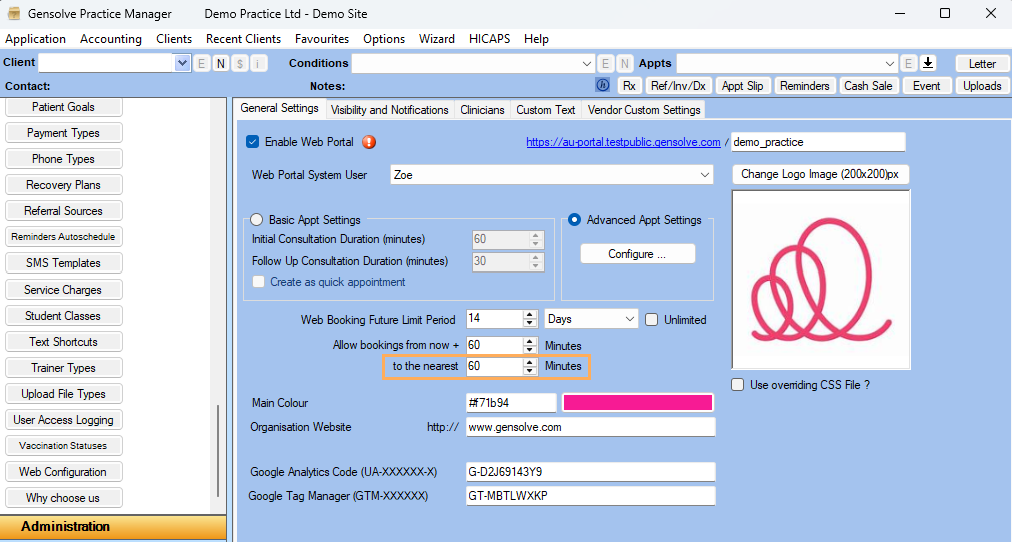
Booking Portal Update
Appointment scheduling is now more consistent with the new “To the nearest” setting, allowing times to round to defined intervals and avoid irregular booking gaps.
API Update
We’ve introduced new API capabilities to provide greater visibility and easier data linking across clinical workflows.
Retrieve Linking Data by Exam ID
A new endpoint allows you to retrieve key linking information for up to 50 Exam IDs at once, including Appointment ID, Client ID, Condition ID, Contract ID, and Patient Assessment ID.
This makes it easier to connect Exam custom form data back to the relevant appointments, conditions, and clients, improving data traceability and integration workflows.
Dynamic Values Endpoint Improvements
The Get Dynamic Values Updated endpoint has been enhanced to now return scoring information for each field.
This provides more complete data for reporting, analytics, and downstream integrations where scoring is required.
More features and fixes.
Although this article lists some of the key new features, there are still many more updates.
Here are the full release notes again for more information on Gensolve 7.17.
If you have any questions please don’t hesitate to contact us at support@gensolve.com, or submit a ticket.