This release delivers major upgrades across security, AI documentation, document management, accounting workflows, and performance. Below is a summary of the key updates now available.
You can check out the full release notes here.
The release will occur for the United Kingdom on the evening of Thursday, the 19th of February 2026. Please note your Gensolve may have disruptions from 9:30pm while we apply necessary updates.
Enhanced Security Controls
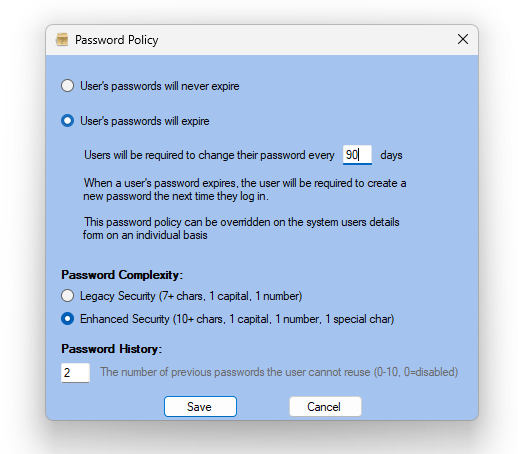
Configurable Password Policies
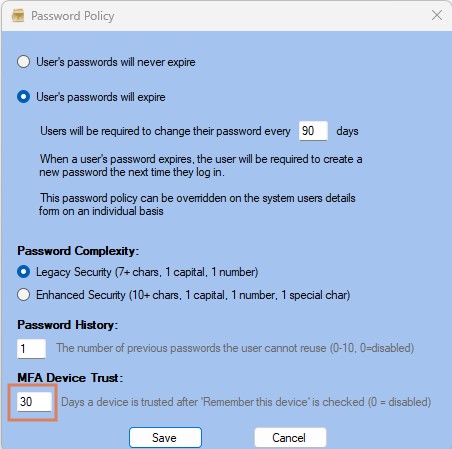
Administrators can now choose between Legacy and Enhanced password requirements within the Organisation Password Policy settings.
Legacy Security (default):
- Minimum 7 characters
- At least 1 capital letter and 1 number
- Cannot contain organisation name or username
Enhanced Security (new option):
- Minimum 10 characters
- At least 1 capital letter and 1 number
- At least 1 special character
- Cannot contain organisation name or username
Password History Tracking
Password history tracking can now be enabled to prevent users from reusing recent passwords. This reduces password cycling and strengthens overall account security.
Existing organisations default to Legacy Security with no password history tracking enabled, ensuring no disruption to current users.
Settings are available by navigating to Admin and then System Users.
MFA Device Trust
When Multi-Factor Authentication (MFA) is enabled, users are prompted to enter an MFA code at login.
A new “Remember this device” option allows administrators to define how long a device can be trusted before MFA is required again. The default period is 30 days, but this can be configured within the organisation’s Password Policy. Setting the value to 0 requires MFA at every login.
AI for Medical Notes – Field-Level Control
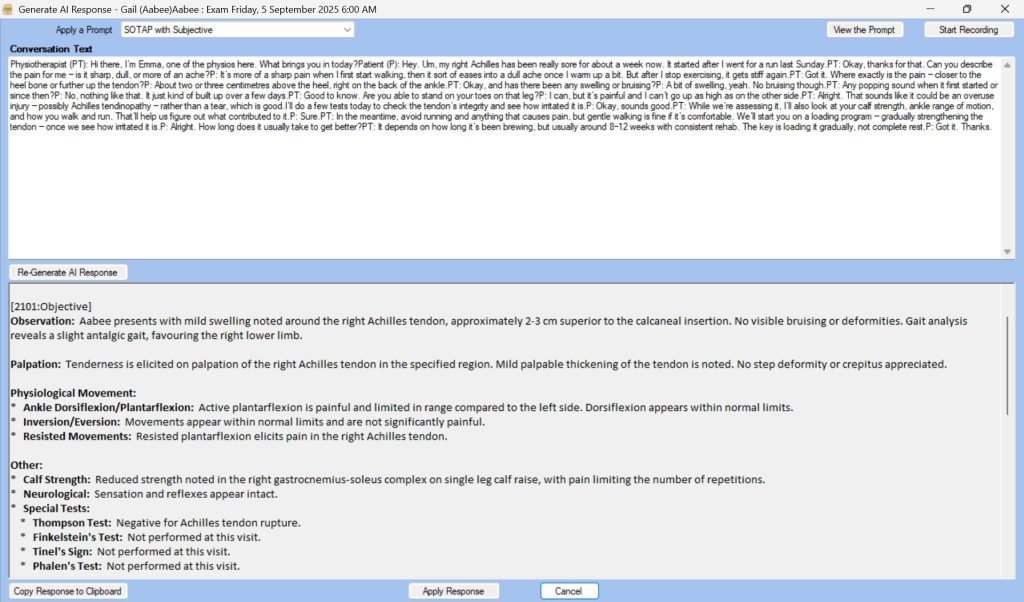
This release expands AI functionality with granular control over Medical Notes through configurable, field-level prompt settings.
Key Enhancements
Custom Prompts Per Field
Prompts can now be defined individually for each field across supported note types including SOAPER, SOTAP, GP, and Custom Templates.
Field Behaviour Options
For each field, users can define how AI-generated content is applied:
- Ignore existing content
- Replace existing content
- Append to existing content
- Insert only if the field is empty
Tone and Output Control
Prompts can include formatting or stylistic instructions such as bullet points, structured formatting, alternative languages, or specific documentation tone.
Objective Prompt Linking
Subjective prompts can now dynamically reference selected Objectives, ensuring contextually accurate note generation.
Fallback Handling
Where no custom prompt exists, the system defaults to standard prompts to maintain workflow continuity.
If you require assistance with AI configuration, please contact support@gensolve.com
Prompt Editing Improvements
Users with appropriate permissions can now edit AI prompts directly from the Generate AI Response form using the new edit button beside the prompt dropdown.
Access Roles have also been updated to remove the Delete function for AI prompts within Front Office.
AI Merge Fields for Letters
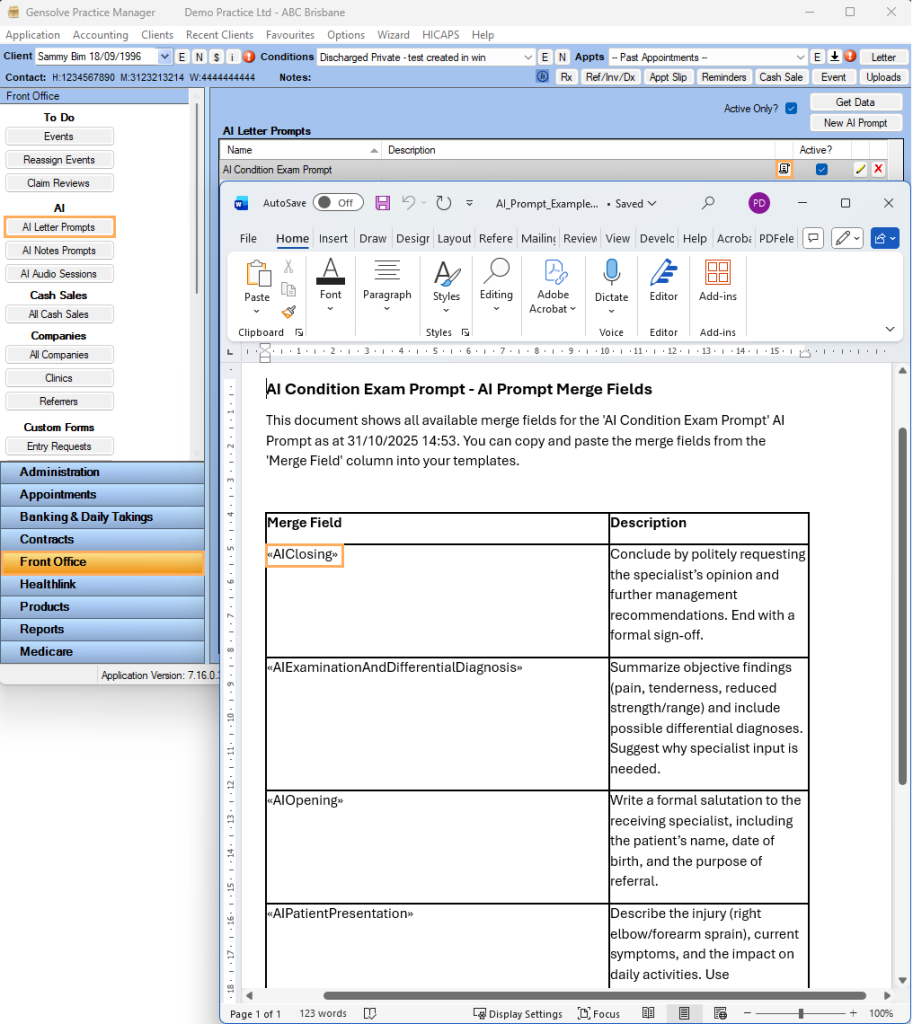
AI merge fields can now be downloaded in Word format, allowing easy copy-and-paste insertion into letter templates.
Booking Portal Update
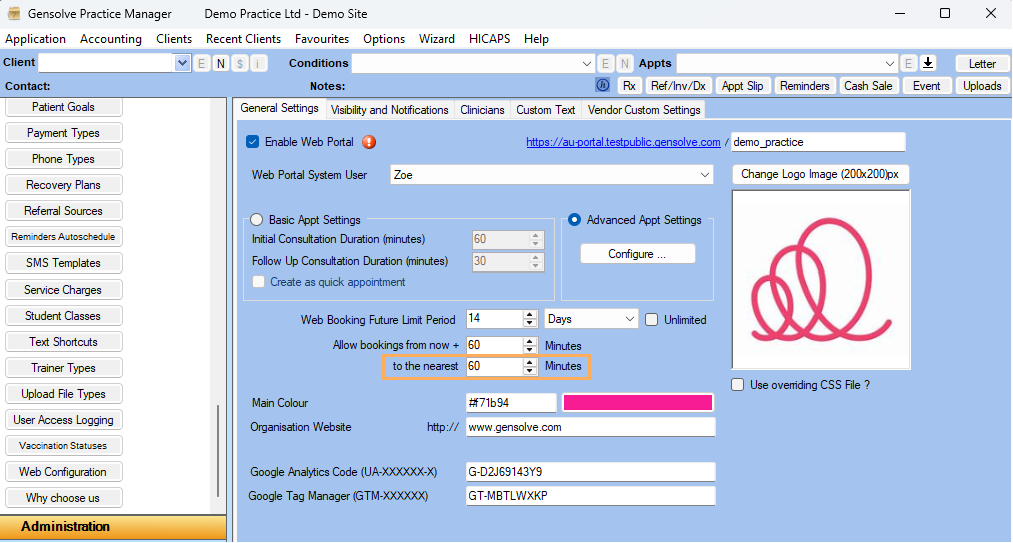
Appointment times can now be rounded using the new “To the nearest” setting, allowing appointments to align consistently to defined time increments and preventing irregular start times.
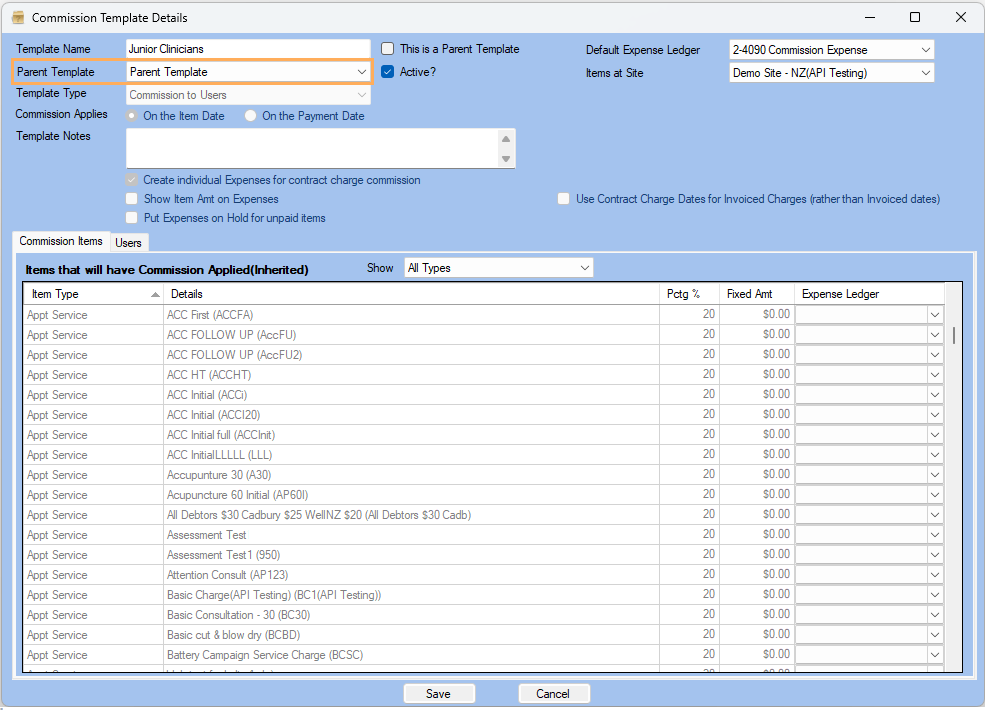
Parent Commission Templates
You can now create a Parent Commission Template to define standard commission items and rates. This template can be applied across multiple child templates, simplifying maintenance for organisations with shared commission structures.
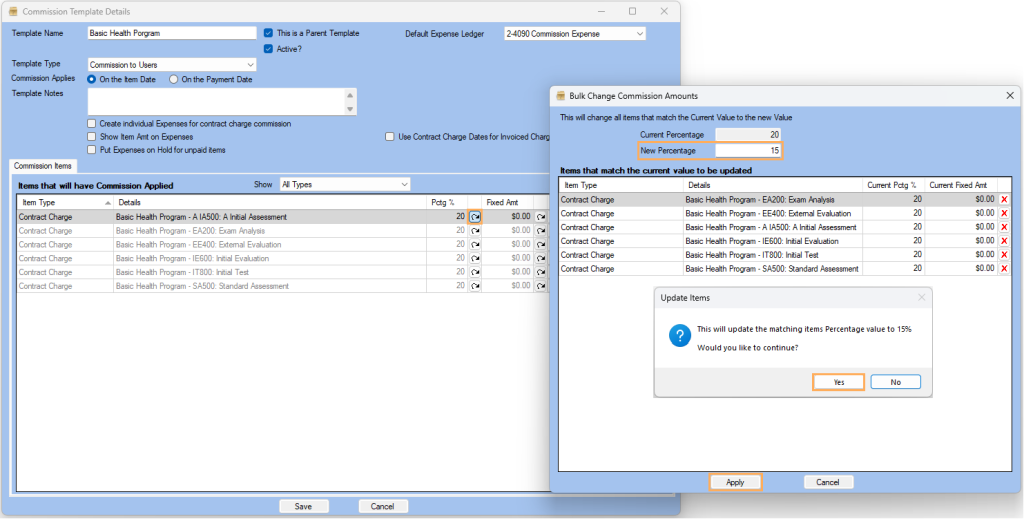
Commission percentages or fixed amounts can now be updated in bulk.
Commission Batch Extension
Commission batches can now process up to 9 months at once (previously limited to 3 months).
Microsoft Office Integration
Office Online Integration
Users can now create, edit, and collaborate on letters and uploads directly within Office Online.
Changes are saved in real time to GPM, and multiple users can co-author documents simultaneously.
Note: A licensed Microsoft 365 account is required.
LibreOffice Support
Microsoft Office is no longer required for template merging. Documents generated by GPM can now be opened using alternative applications such as LibreOffice.
More features and fixes.
Although this article lists some of the key new features, there are still many more important improvements and updates you may be interested in.
Here are the full release notes again for more information on Gensolve’s most recent update.
If you have any questions please don’t hesitate to contact us at support@gensolve.com, or submit a ticket.